v1.1.0 — Now Available for Windows

Know where your
day actually goes.

A silent, local-first productivity tracker for Windows. Automatically records every app and website you use, categorizes your time, and delivers rich daily reports — no cloud, no subscription, no manual logging.

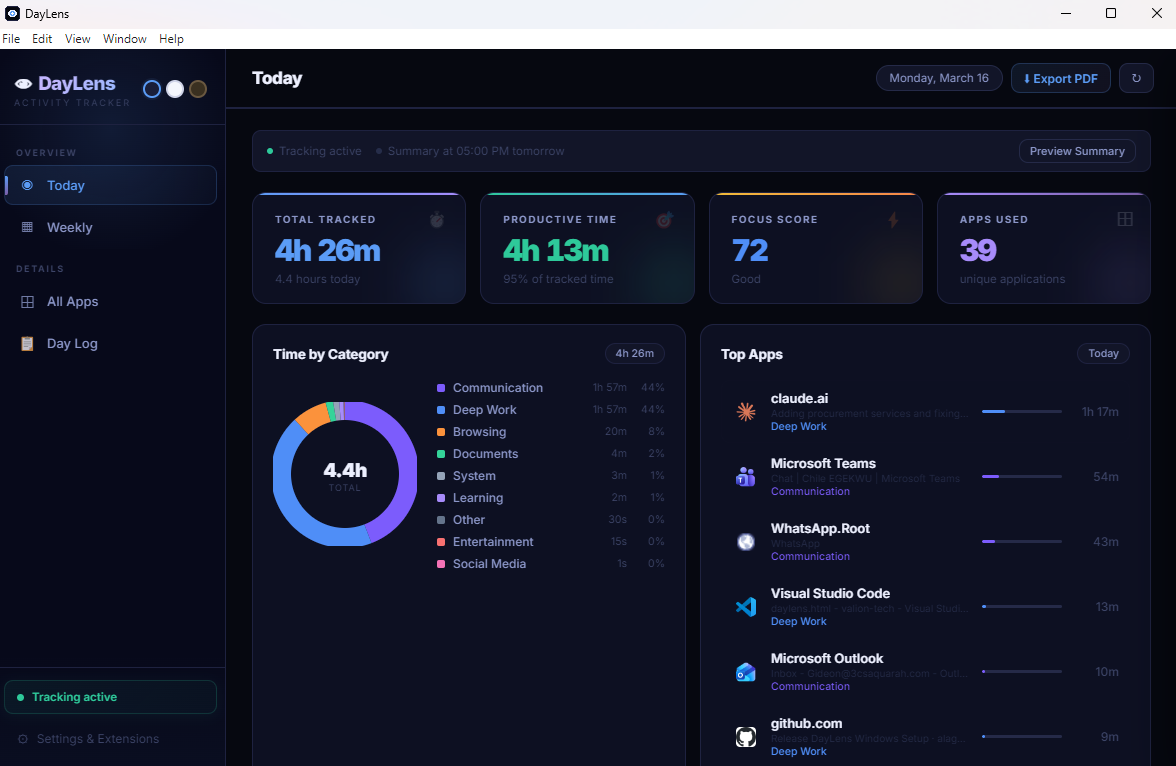
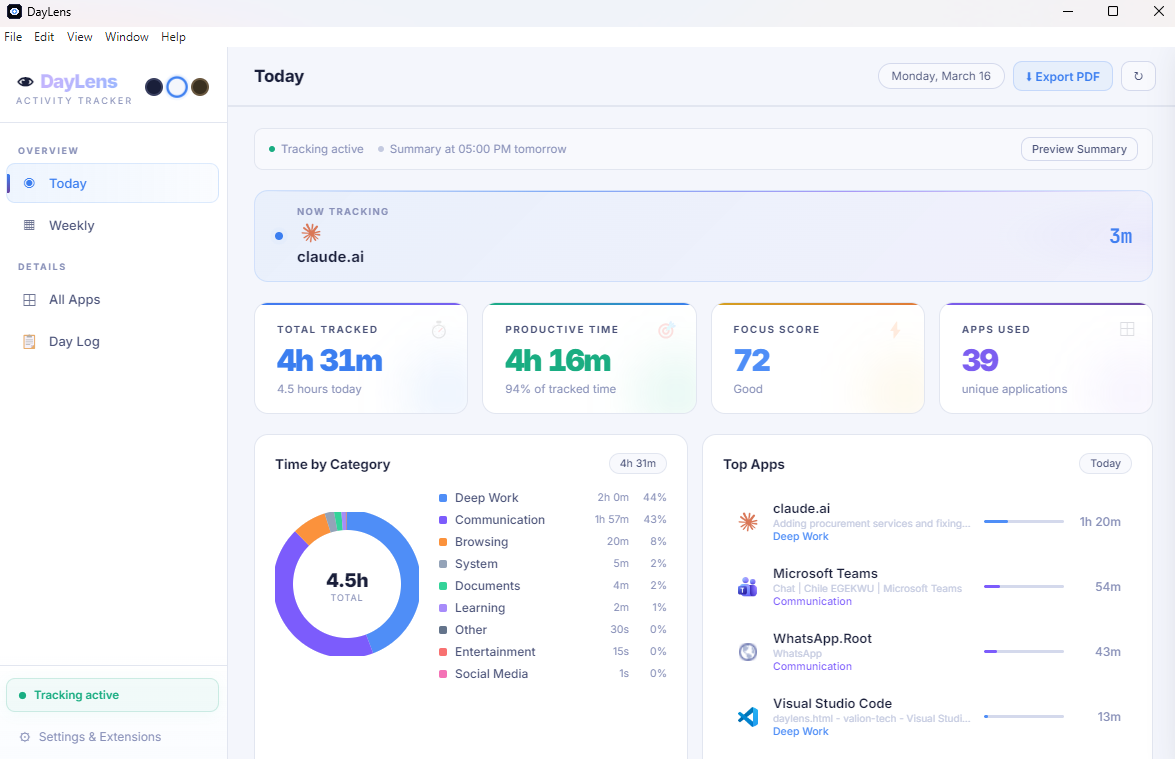
👁 DayLens — Today's Report
Monday, 16 March 2026
84
Focus Score
✓ Deep Work: 4h 12m ↑ +11% vs yesterday
Deep Work
4h 12m
Communication
1h 18m
Browsing
48m
Social Media
21m
Learning
1h 02m

Built different. Built private.

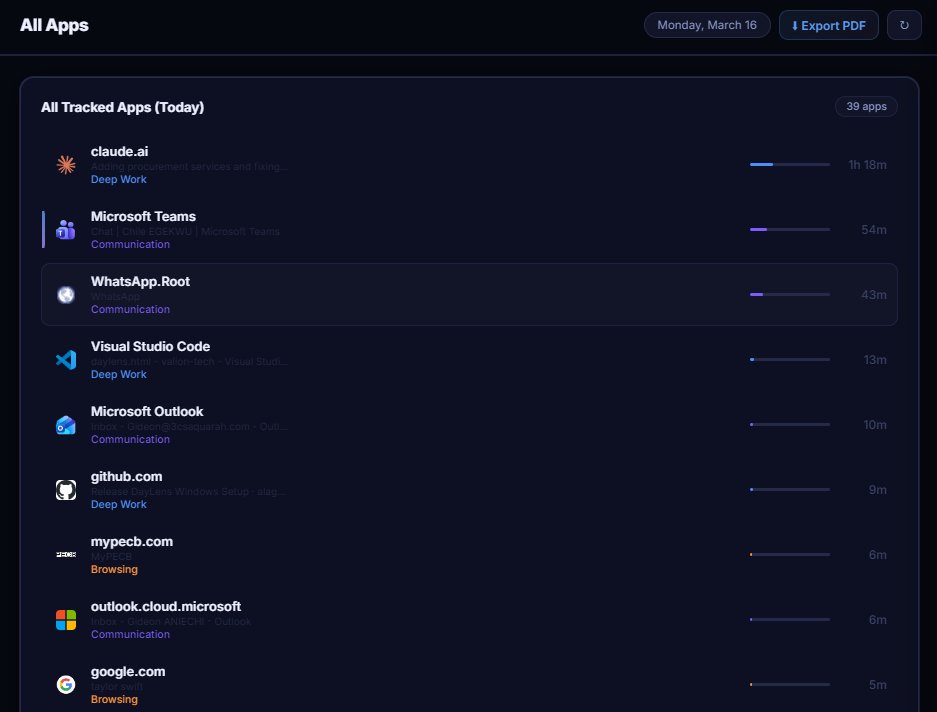
Always-On Tracking

Tracks every 6 seconds automatically using native Win32 APIs. No setup, no manual start — just launch and forget.

🔒

100% Private

All data lives in a local SQLite database on your machine. Zero cloud connections, zero telemetry, zero accounts.

🧠

Self-Learning

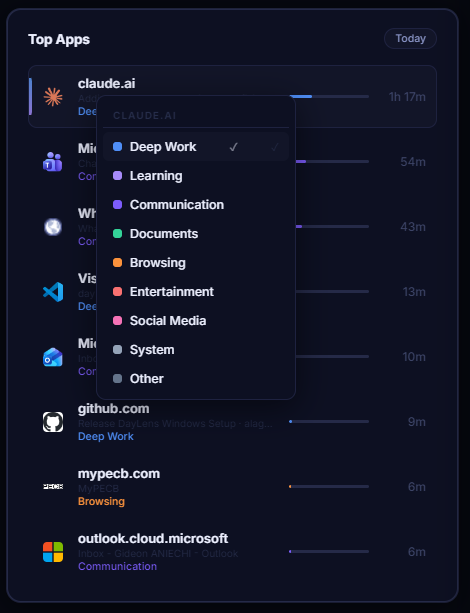
Right-click any app to set its category permanently. DayLens remembers your corrections and applies them to all historical data instantly.

📊

Rich Reports

One-click daily and weekly PDF exports with hourly charts, category breakdowns, top apps, and 4 AI-written insights about your day.

Everything you need to understand your time

🖥️

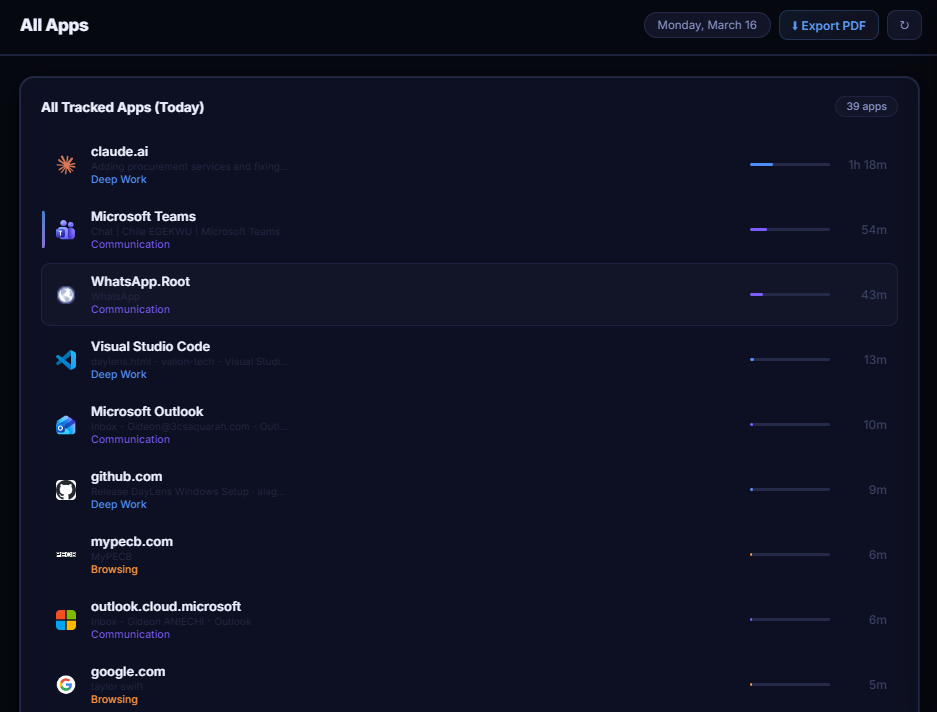
Desktop App Tracking

Silently records every application you use. Detects focus changes every 6 seconds using native Win32 APIs — no setup required.

🌐

Browser Extension

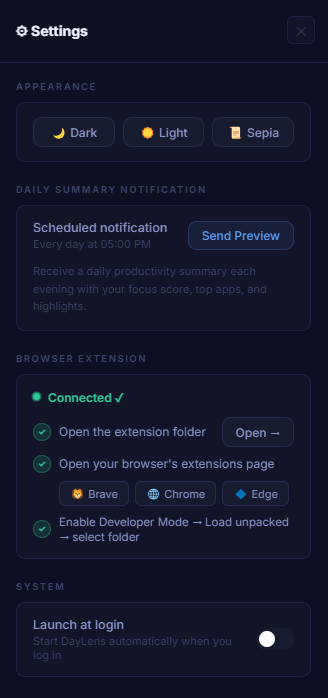
Per-tab tracking for Chrome, Brave, and Edge. Knows exactly which website — not just "browser is open." SPA-aware for GitHub, Notion, and React apps.

🗂️

Smart Categorization

9 categories auto-assigned: Deep Work, Learning, Communication, Documents, Browsing, Entertainment, Social Media, System, Other. 50+ apps recognized out of the box.

✏️

Manual Override

Right-click any app to permanently set its category. Saved with user override — never overwritten by auto-detection. Updates all historical data instantly.

📋

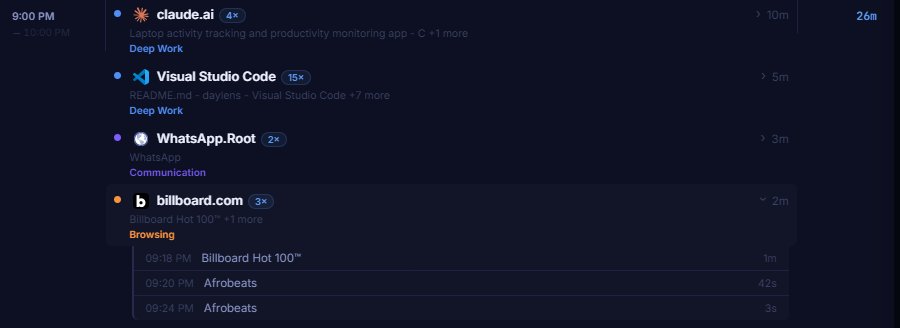
Day Log

Hour-by-hour breakdown of your entire day. Drill down into individual visits with exact timestamps. Navigate to any previous day.

📈

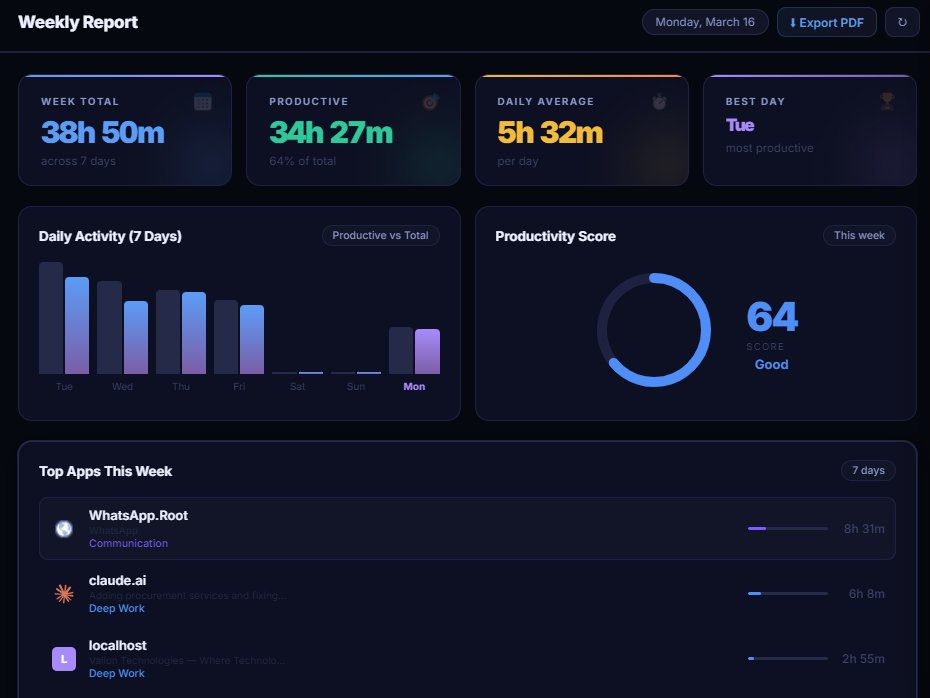
Weekly View

7-day bar chart, focus score trend, best day, and productive time totals across the week — see patterns you'd otherwise never notice.

📄

PDF Export

One-click export of daily or weekly report. Includes category breakdown, top apps, hourly chart, and 4 AI-generated insights about your day.

🔔

Daily Notification

Desktop summary at 5:00 PM every day with your focus score and top apps. Preview any time from the app.

🎵

Background Audio Detection

Detects webinars, tutorials, and meetings playing in background tabs. Logged separately with a visual indicator so nothing gets missed.

💤

Crash Recovery

Heartbeat system detects battery death, force-quit, and unexpected shutdowns. Phantom data from browser reconnects is automatically cleaned on next launch.

Technical specifications

Built on a solid, lightweight stack

Platform Windows 10 / 11 (x64)
Architecture Electron 29 + sql.js (SQLite compiled to WebAssembly)
Tracking interval Every 6 seconds — desktop apps via Win32 API
Browser support Chrome, Brave, Edge (companion extension required for per-tab tracking)
Data storage Local only SQLite database — AppData\Roaming\daylens\daylens.db
Network Zero outbound Favicon lookup only (Google favicon service, optional & fully offline capable)
Permissions No admin rights required. Accessibility API for window detection only.
Install size ~78 MB (includes Electron runtime)
Themes Dark (default), Light, Sepia
Export formats PDF (daily + weekly reports), CSV (day log data)
Version 1.1.0

Zero-trust, local-first architecture

DayLens was designed from the ground up around one principle: your data is yours. It never leaves your machine.

🗄️

Local Storage Only

All activity data stored exclusively in a local SQLite database on your machine. No sync, no backup to the cloud, no third-party storage.

📡

Zero Telemetry

No telemetry, analytics, or usage data is ever transmitted. No user accounts, no login, no cloud sync — ever.

🔌

Extension Isolation

The browser extension communicates only with the local DayLens app via WebSocket on 127.0.0.1 — never to any external server.

🛡️

Renderer Sandbox

Electron context isolation and nodeIntegration:false enforce strict renderer sandbox security.

✈️

Fully Offline Capable

Favicon lookups are the only optional external requests. DayLens functions 100% without any internet connection.

🔑

No Admin Rights Needed

Requires only the Accessibility API for window detection. No elevated permissions, no system-level access.

Up and running in under 2 minutes

DayLens installs like any Windows app and starts tracking immediately — no accounts, no configuration, no learning curve.

01

Run the installer

Run DayLens Setup 1.1.0.exe and follow the prompts. A desktop shortcut and Start Menu entry are created automatically.

02

Launch DayLens

Open the app. The onboarding walkthrough guides you through everything on first launch. Tracking starts immediately.

03

Install the browser extension

Go to Settings → Extensions → Open Extension Folder, then load it unpacked in your browser with Developer Mode enabled. Unlocks per-tab tracking for Chrome, Brave, and Edge.

04

Use your computer normally

DayLens runs silently in the background. Check back at end of day for your full breakdown — or wait for the 5 PM notification.

05

Teach it your habits

Right-click any app in the Day Log to correct its category. DayLens remembers your choice permanently and updates all past data instantly.

daylens — daily summary
$ daylens --report today
✓ Database loaded: 1,284 events
──────────────────────────────

→ Focus Score: 84 / 100
✓ Deep Work: 4h 12m
✓ Communication: 1h 18m
✓ Learning: 1h 02m
! Social Media: 21m ↑

$ daylens --export pdf
✓ Report generated: Monday_16_March.pdf
→ 4 AI insights included

$

What's coming next

Coming in v1.2 In progress

Goals & daily time limits per category
Warning notifications when approaching a time budget
Historical trends beyond 7 days

Future Considerations Planned

macOS support
Team / shared dashboards
Calendar integration

Your day, accounted for.

Free. Private. No account required. Download DayLens and see exactly where your time goes — starting today.